2019年9月30日星期一

VVDI MB vs Simon Tools MB Clinic vs Abrites VS CGDI MB

Aim: looking for a good tool for Mercedes-Benz to work and repair, such as program keys, repair EZS, ELV, program VIN on modules, and all that stuff..
VVDI MB vs Simon Tools MB Clinic vs Abrites VS CGDI MB
Mercedes Benz programmer recommendation:
VVDI MB
Simon Tools MB Clinic
Abrites AVDI
CGDI MB

Those who recommend abrites & Simon touch ESL doctor
I will advise purchasing the Mercedes functions for abrites with protag and Simon touch ESL doctor for enabled ESL NEC MCU and nothing more. Avdi cannot enable NEC ESL blocked that’s why you need ESL doctor.

Simon touch will erase china keys but you need to mod the ir reader cut a track and supply external  power to the pcb.

Those who recommend VVDI MB:
1) me abritus is one piece of sheet tool. I use this tool more then 10 years   every day this tool is more and more bad. support is useless and license is so expensive and they don’t work like should work.
now I’m using vvdi is 100 times better tool and support is good. price can’t compare.

2) Enabling ESL that doesnt exist on AVDI i use it on MB tool, brief I use MB tool to program Simon touch emultors and ESL or to enable also I do a lot of keys and get the password from key, also i work on AVDI to extract password from EIS.
3) Repair ELV NEC make keys have function RENEW and WORK 100% testing.

Those who have AVDI, VVDI MB, SimonTouch:
AVDI is very good support and really everything works from the stated, very good product.
AVDI perfect tool but price is….not real price expensive tool for pass mercedes need you 20 min to 1h wotk but very slow

VVDI MB Tool is also not a bad product, I never had issue with their support . The only negative is the use of tokens.

SimonTouch is very poorly supported, many problems arise in the work and many functions do not work because the MB clinic is still only an advertisement, they don’t sell it yet, a very raw product.
Hope it helps you decide which are suitable for you.

Those who recommend CGDI MB:
Friend buy one CGDI MB and work have variant without  TAX I have this tool work perfect 1 to 1 VVDI MB
again repair ELV NEC make keys have function RENEW and WORK 100% testing
make key for 10 min
make virgin module for 2 min
not have tax not have other 

have support with 24h skype
for me this tool is perfect tool low money lot functions !!

2019年9月19日星期四

What is the Different Between Launch X431 CRP429 and Foxwell NT650

Launch X431 CRP429C main features: 4-system diagnosis (Engine/ABS/SRS/Transmission) + 11 service reset functionalities.
Foxwell NT650 Tool main features: OBDII + 12 service reset functionalities.

A comparison table of X431 CRP429C VS Foxwell NT650:
X431 CRP429C VS Foxwell NT650
Product
X431 CRP429C Foxwell NT650
Image
X431 CRP429C foxwell-nt650
Specification ROM 8GB
RAM 1 GB
Display 5.0″ IPS Touch screen Backlit, 480*272 TFT color display
OS Android 7.0
Processor Cortex -A5 processor (1.5 GHz)
Keyboad shorcut Support Yes
User Manual Yes Yes
Wifi Yes
Battery 4000 MaH battery 8-18V vehicle power, 12V AC/DC power, 3.3V USB power


System diangosis 10 models of OBDlI test Yes The built-in obdii software can read the Engine DTCs
Engine Yes Yes
Transmission Yes NO
ABS Yes NO
Airbag system  Yes NO


Service reset Oil service Reset Yes Yes
Electronic Parking Brake (EPB) Yes Yes
TPMS Reset Yes Yes
Battery Matching Yes Yes
Injector Programming Yes Yes
Throttle Body Alignment Yes Yes
DPF Regeneration Yes Yes
Gear Reset Yes Yes
Steering Angle Sensor (SAS) Calibration Yes Yes
ABS Brake Bleeding Yes Yes
IMMO Reset Yes No
CVT NO Yes
Odometer NO Yes
Others Update One-click update. After one year, the update cost is 65USD per year. Free update lifetime
Language English, French, Spanish, Russian, Japanese, German, Italian, Portuguese. English, French, Spanish, Hungarian, Korean, Japanese, Chinese, Italian, German
Price $249 $210

Conclusion:
X431 CRP429C wins in:
Nice specification (touch screen and functional button; wifi etc)
4-system diagnosis + 10 models of OBDlI test
IMMO Reset
One-click update

Foxwell NT650 wins in:
3 ways to power the tool
A professional service reset tool
Free update online lifetime
9 language available

Where to have both of X431 CRP429C and Foxwell NT650?
www.obd360.com is nice choice, because they can arrange the delivery from US, United Kingdom and China.

2019年9月18日星期三

How to Use Foxwell NT530 Read & Clear Trouble Code

This instruction show you guide on how to use Foxwell NT530 tool to read and clear diagnostic trouble code.

http://www.foxwellmall.com/

Read Codes menu lets you read trouble codes found in the control unit.
Typical code status include:
● Present/Permanent/Current Codes
● Pending Codes

History Codes
Present/Permanent/Current codes stored in a control module are used to help identify the cause of a trouble or troubles with a vehicle. These codes have occurred a specific number of times and indicate a problem that requires repair.

http://www.uobdii.com/wholesale/foxwell-nt530-scanner.html

Pending codes are also referred to as maturing codes that indicate intermittent faults. If the fault does not occur within a certain number of drive cycles (depending on vehicle), the code clears from memory. If a fault occurs a specific number of times, the code matures into a DTC and the MIL illuminates or blinks.
History codes are also referred to as past codes that indicate intermittent DTCs that are not currently active.

To read codes from a vehicle:
1. Scroll with the arrow keys to highlight Read Codes from Function Menu and press the ENTER key.
A code list including code number and its description displays.


2. Use the up and down arrow keys to scroll through data to select lines, and left and right arrow keys to scroll back and forth through different screens of data.


3. Press function key Save to store DTC information. Press function key Freeze Frame to view freeze data.


Freeze Frame Data: a snapshot of critical vehicle operating conditions automatically recorded by the on-board computer at the time of the DTC set. It is a good function to help determine what caused the fault.

4. Use left and right arrow keys to scroll back and forth through different screens of data.

5. Press function key Save to store freeze frame information. Or use the BACK key to exit.

Clear Codes
Clear Codes menu lets you to clear all current and stored DTCs from a selected control module. Also it erases all temporary ECU information, including freeze frame. So make sure that the selected system is completely checked and serviced by technicians and no vital information will be lost before clearing codes.

NOTE
● To clear codes, make sure that the ignition key is switched to ON with the engine off.
● Clear Codes does not fix the problem that caused the fault! DTCs should only be erased after correcting the condition(s) that caused them.

To clear codes:
1. Scroll with the arrow keys to highlight Clear Codes from Function Menu and press the ENTER key.


2. Follow the on-screen instructions and answer questions about the vehicle being tested to complete the procedure.


3. Check the codes again. If any codes remain, repeat the Clear Codes steps.
Foxwell NT530 Scanner

2019年9月3日星期二

VIDENT iLink400 Software Update Guide

OBD360 will give you a step by step instruction on how to update software for VIDENT iLink400 in this post.
Note:
All iLink400 scan tool will be shipped without any Software installed. You can install any software from the following list at your choice by the update client iScanzilla.


Software Update
Step One- Install the Update Client
Visit www.videnttech.com to download the update client from
http://www.videnttech.com/support/


The file downloaded will be a compressed zip file. Open that file and run the installer inside it.
Alternatively, you can install the update client from the CD that comes in the product package.

Step Two – Create Your Vident Account.

Firstly you need to create an account with Vident.
Once installed, boots up the iScanzilla software, click the Register button.


Fill out the registration form and submit.


Alternatively, you can click the Sign Up button on the right upper side of our website to create an user account.


Step Three – Register Your product

When logged in iScanzilla, click the ‘Register Products’ icon.


On the ‘S/N Registration’ tab, put a tick in the box marked ‘001’ then enter the product’s serial number & password, and click Submit.
Please connect the scan tool with computer through the USB cable, select Setup > About to check the Serial Number and ‘Register Password”.


A confirmation box should be shown confirming successful registration.
Alternatively, you can register the product in the member center when logged in on our website.


Step Four – Download and Install Diagnostic Software
Now close the iScanzilla software, remove the TF card from your tool (making sure the tool is turned off first!) and connect it to the PC via a TF card reader.
Once Windows has detected the TF card, run the iScanzilla software and login again. After a few seconds, a list of the available software updates will appear.


Please select only one software you want to update, as you can ONLY have access to the update of this manufacturer in the future once it’s been selected initially. In case you want to install any other vehicle software, please contact
us or sign in your member center to purchase. Please refer to next chapter to buy extra software.
Click the Update button to download and install the software.

Once the software installed, you can go to Software Management to review the installed software.
Vident iLink400:
http://www.obd360.com/wholesale/vident-ilink400full-system-single-make-scan-tool.html

2019年8月11日星期日

Autel MaxiFlash J2534 Driver Setup & Network Configuration Guide

This instruction show you guide on how to install driver and configure network for Autel MaxiFlash J2534.

Autel MaxiFlash Pro J2534 is reliable, fast performance, and flexible; using the OEM software,it is capable of providing dealer-level programming capabilities for all makes,if it work with the AUTEL MaxiSys MS908 and AUTEL MaxiSYS Pro MS908P, Which can do more car

Procedures:
In order for the Pass-Thru Device to operate correctly with the re-flashing and diagnostic applications on the target PC, you will need to first install the MaxiFlash Pro J2534 device driver onto the PC that will control the device.
To setup the J2534 Pass-Thru device driver, you will need the followings:
 CD with the device driver program
 PC or laptop with USB ports
 J2534 Pass-Thru reprogramming tool
 USB cable NOTE: The following steps may vary depending on the operating system or components that are installed on your computer, but in general this is the standard installation process.
1) Insert the driver installation CD to your PC. The driver installation wizard will load momentarily.
2) Click on ―Next‖ on the welcome page.
3) Select ―Next‖ on the installation location and installation name. It is recommended not to change the default settings; otherwise the computer may have a hard time recognizing the driver.
4) Click ―Install‖ and the driver program will be installed onto your PC. NOTE: During this part of the process a MS-DOS style window will pop up and may remain on your screen for a short while, which is perfectly normal. Do not attempt to close the MS-DOS style window manually as this will prevent the device driver being installed successfully, it will close automatically when the device driver installation is complete.
5) Connect the Pass-Thru device to the PC with the supplied USB cable, a ―Found New Hardware Wizard‖ window will pop up.
6) Select ―Install the software automatically (Recommended)‖, click on ―Next‖, and Windows will search for the driver software automatically.
7) Select the ―MaxiFlash Pro‖ program and click on ―Install‖.
8) When the MaxiFlash Pro device driver program is successfully installed, you should be able to see the ―Maxi Flash Pro‖ entry in the Device Manager under ―Maxi Pass Thru Serial.

2019年7月10日星期三

How to Use Autel IM608 Reset Battery for BMW

Autel IM608 allows displaying the mileage reading of last battery replacement,
registering the battery replacement after replacing a new battery and informing the power management system that a new battery has been fitted to the vehicle.

Autel IM508 System

If the battery change is not registered, the power management system will not function properly, which may not provide the battery with enough charging power to operate the car and limit the functions of individual electrical equipment.

To display the battery history
1. Tap the Service application button from the MaxiIM Job Menu.
2. Tap BMS button and wait for the vehicle manufacturer screen. You can tap VIN Scan or the vehicle make to acquire vehicle VIN information and tap Yes to confirm. See Vehicle Identification on page 34 for detail.
3. Tap Resetting the information to zero on power supply when replacing the battery in the EPB function list, the list may vary for different vehicles being tested.


4. The stored power supply information is reset using this service.Resetting to zero should only be performed when replacing the (main) battery. Once you confirm all the information displayed, tap Continue to proceed.Autel MaxiIM IM608


 5.Tap Start to reset the information to zero.http://www.auteleshop.com


6. Once the reset is completed, the screen displays. Tap Continue.


7. For the Battery Monitoring Sensor (BMS) to calculate the correct battery charging level, the vehicle must be in Sleep mode for a minimum of 4h after reset. In some cases, 6h in Sleep mode may be necessary. Read the onscreen instructions carefully and follow the instructions to ensure vehicle proper functioning.


http://www.auteleshop.com/wholesale/autel-maxiim-im608-advanced-immo-key-programming.html

2019年7月7日星期日

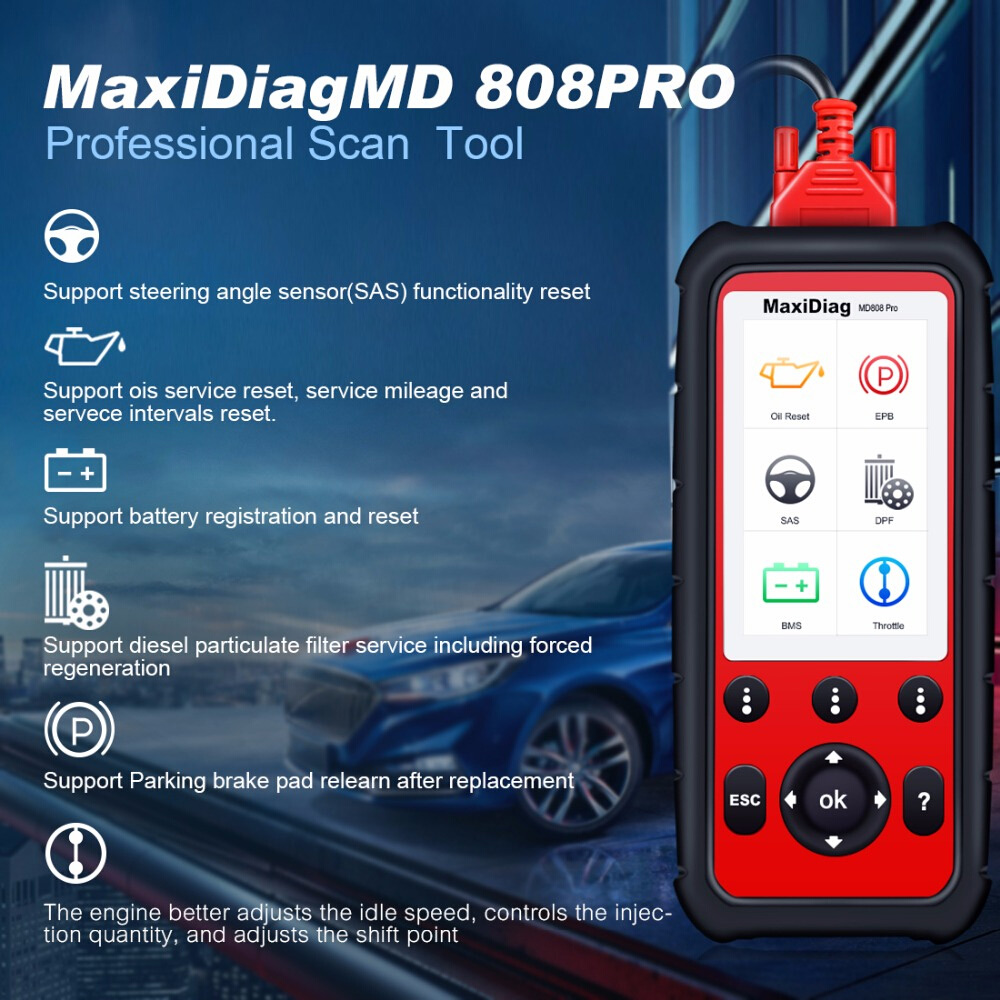
Autel MD808 Pro FAQs and Customers Real Reviews

Autel MD808 pro scanner is a nice and sturdy device that will allow you to diagnose different car makes and models as long as they are OBD2 compliant and manufactured from 1996 or newer. This includes domestic, European, and Asian vehicles. The diagnostic scanner is easy to use, compact and affordable. It also performs a wide range of functions making it ideal for DIYers, professional mechanics, and technicians.

The MD808 will help you save money as it offers free lifetime updates and upgrades. You can as well save data on the 16GB memory card and in case of any defects on the product; the manufacturer offers a one-year warranty. I hope this Autel MD808 Pro review will help a lot to make a buying decision.


Autel MD808 Pro FAQs:

Q1: Autel MD808 have any advantage over the MD802?
A1: MD808 is much more advanced than MD802.MD808 supports to read and clear trouble codes, control and test BMS /SAS /DPF systems,and reset steering angle sensor (SAS) functionality. These functions MD802 is unavailable to do.Hope it can meet your demands.

Q2: Will this be able yo bring up Transfer Case codes?
A2: Yes,this md808 can read/erase codes on Engine, Transmission, SRS and ABS system as well as lot of special functions.

Q3: Will this unit interface with all of the modules and eletronic controls on a Toyota Prius? And specifically to meter in coolant and bleed brakes?
A3: This md 808 can work on your Toyota Prius on four systems , if wanna get a all system supported product, you can have a look for the MD802 full system or md808 pro.And for metering in coolant and bleed brakes,you may have a look for Autel MK808.

Q4: Autel launched another new product md808. what’s the differences between md808 pro and md808?
A4: MD808 pro is an more advanced professional scan tool than MD808. Though MD808 and MD808 pro are armed the same hardware, MD808 pro has more powerful built-in software system than MD808 pro. MD808 can only access to Engine, Transmission, ABS, and Airbag (SRS) systems while MD808 pro support Read/Clear Codes and Live Data functions for ALL systems.

Q5: Hi this able to bleed abs system on mb gl550?
A5: It will support reading and clearing all codes in all modules. But it would not support the brake bleeding functions. I think you need MX808 to bleed abs system.

Q6: Shops that would use Autel MaxiDiag MD808 Pro?
A6: General repair shops (Perfect for servicewriters), body shops, used car dealerships, auto repair shop, brake facilities, DPF Auto Repair shop, and transmission repair shops

Q7: How do I know if my Autel scanner is genuine or not?
A7: First and foremost, you should buy an Autel scanner from an authorized dealer. If you buy it from an unknown source, you risk being duped or being sold the wrong product. Every Autel scan tool comes with a serial number. After you purchase the device, you need to register it in order to get free software update/upgrade and as well as warranty. As a result, if you try to register the code reader with Autel and it fails, just know that your device is counterfeit. All-in-all, Autel is a reliable company and having a fake product is next to impossible.

Q8: Does the Autel MD808 offer its users with free lifetime updates?
A8: This is where Autel wasn’t clear about its product. In the description, it is written that the product comes with free lifetime updates but it is not. Most users have stated that the free software updates are provided for 3 years and from then onwards, you will have to pay for updates and upgrades. The manufacturer should be clear about this so that buyers are not duped into buying the product.

Q9: I am looking for a scanner that would let me access the onboard computer so that I am able to adjust the vehicle performance which would maximize my fuel economy. Will this model do this procedure or can you suggest a model that can do this
A9: MD808 Pro will tell which fuel injector is faulty and It also able to read fuel trim. If you want full functioning scanner, then you have to increase your budget. You can take a look at the Autel MX808

Q10: This MD808Pro would not link up to a new 2019 Toyota Tacoma. I called US support and was told that I would have to wait at least one year for the update to the device that will cover this and other new vehicles. The support person told me that I would purchase a much more expensive reader with a paid subscription to be able to interact with new vehicles. Thanks Autel for not advising this in your advertising for this product. This MD808Pro will be sitting in my cupboard collecting dust for at least one more years.
A10: Yes, that’s right. If you buy the most recent car model, then low price scanner like Autel md808 pro will not support. They need time( at least one year) to include that new car model with the scanner. All scanner brands follow that type of tactic. Because they need to write a new program for the latest car model to support the scanner


Autel MD808 Pro Reviews:

Review 1:
I did try it out and it did work very well. I work as a gm technician and i use the ms906ts model from autel and they both seem to read the same data. I would recommend any autel product to anyone. They have great products and great technical support. I did the current update on this unit which was simple. The newest update gave you the feature to do the updates through usb. I had to remove the mico sd card to do the updates the first time. You will need a micro sd to sd card adapter if you get a unit with the older software installed.

Review 2:
Autel MD808 Pro was recommended by tire shop because it’s a well made quality product capable of high speed use for sports cars. Product installed and programmed easily for use in my ’06 corvette.

Review 3:
I purchased this to help diagnose an ABS issue and to clear the trouble code(s) when the issue was fixed. It handled these tasks without issue. The ability to see sensors operate in real time and plot them on a graph is invaluable.

Review 4:

This is a new launched product of Autel. My friend bought a MD802 which works very good. This one is an updated version of MD802. It has a bigger screen and memory, and seems the scanning speed is a little bit faster scanning all systems. A very good diagnostic tool.

Review 5:
It clears code fast and works well. It’s an all system diagnostic tool and easy to use. The 16G memory card which enables update is a plus compared to MD802. Though it’s not a bi-directional tool, we won’t get that at this price.

http://www.auteleshop.com/wholesale/autel-maxidiag-md808-pro-all-system.html